The HexKey icon: a hand-forged #! in iron, riveted with bronze

HexKey

The IT engineer’s pocket knife: a Windows app and an iPhone app that work as a set.

Networks, devices, Wi-Fi, Bluetooth, servers, the plant floor and remote access, each tool with an “i” that explains what it does and how to read the result. The laptop does everything Windows allows; the phone goes where the laptop cannot, and either hands its results to the other.

  • 79Windows tools
  • 17categories
  • 57iPhone tools
  • 1shared handover format
FastNothing runs at launch; a tool starts when its tab is first opened and works off the main thread.
Read only by designChecks look and report; nothing is written to a device, and industrial Active Mode asks first.
Passwords stay putNever saved in a session, a file or a handover; the Keychain or Windows’s vault only when asked.
Phone and laptop togetherA QR-paired live link over the LAN: send results, run a tool on the other device, measure the path between them.

Windows

One window, the categories down the left, each category’s tools as tabs across the top. A single self-contained .exe, light and dark themes.

Connections

This network, subnets and addresses

  • This NetworkAdapters, addresses, gateway, DNS and the internet
  • Active ConnectionsThis computer's own open connections and listening sockets, with the process that owns each
  • Subnet CalculatorNetworks, masks and ranges, IPv4 and IPv6
  • DHCP CheckEvery DHCP server that answers on this network, and what each offers
  • IPv6 CheckWhat this computer holds, the routers that advertise, DHCPv6 and the neighbours
  • VPN and DNS Leak CheckWhether a VPN is up, what goes through it, and which DNS server the world sees
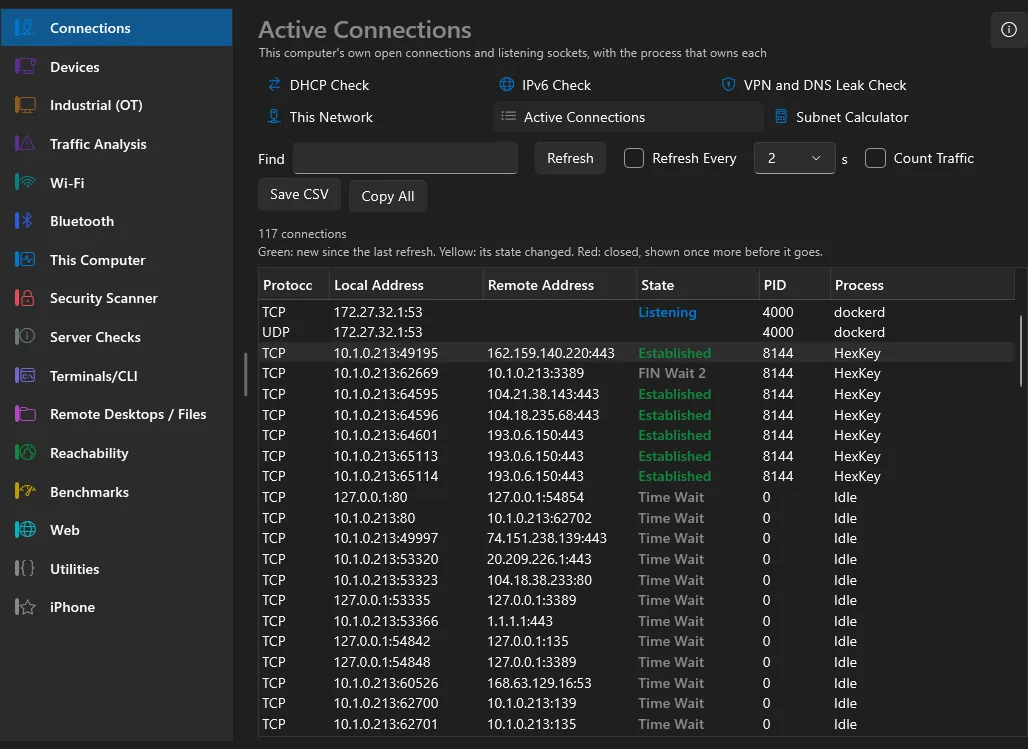
Active Connections, coloured as TCPView colours them

Devices

What is on the LAN and what it says

  • LAN ScannerEvery device on the network, with its MAC address
  • LAN WatchThe network scanned again and again, so a device you have not seen before is called out
  • SNMPInterfaces, ARP, routes and a switch's MAC table, read only
  • Switch PortWhat the switch says about the port your cable is in, from LLDP and CDP
  • DiscoveryFind the UPnP and Bonjour devices and services on the local network
  • Wake on LANWake a sleeping computer by its MAC address

Industrial (OT)

Controllers, HMIs and I/O on the plant floor

  • OT Asset InventoryWho is on the OT segment, what each speaks and what each most likely is, from listening alone
  • Protocol HealthWrites, downloads, stops, missed cycles and alarms, read from the traffic
  • IT/OT SegmentationWhether the controllers reach the office network or the internet, and who reaches them
  • Device IdentifyRead one device's nameplate with a standard identity request, under Active Mode
  • IoT HygieneBrokers without a password, devices calling home, resources anyone can list
  • OT Baseline and DriftSaves the OT inventory and shows what changed since
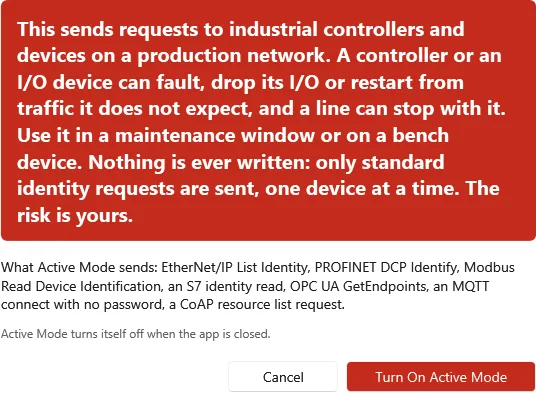
Passive by default: Active Mode asks first, in large red letters

Traffic Analysis

The packets themselves, and what they tell

  • Network HealthWatch a capture for storms, loops, rogue servers, loss and Wi-Fi trouble
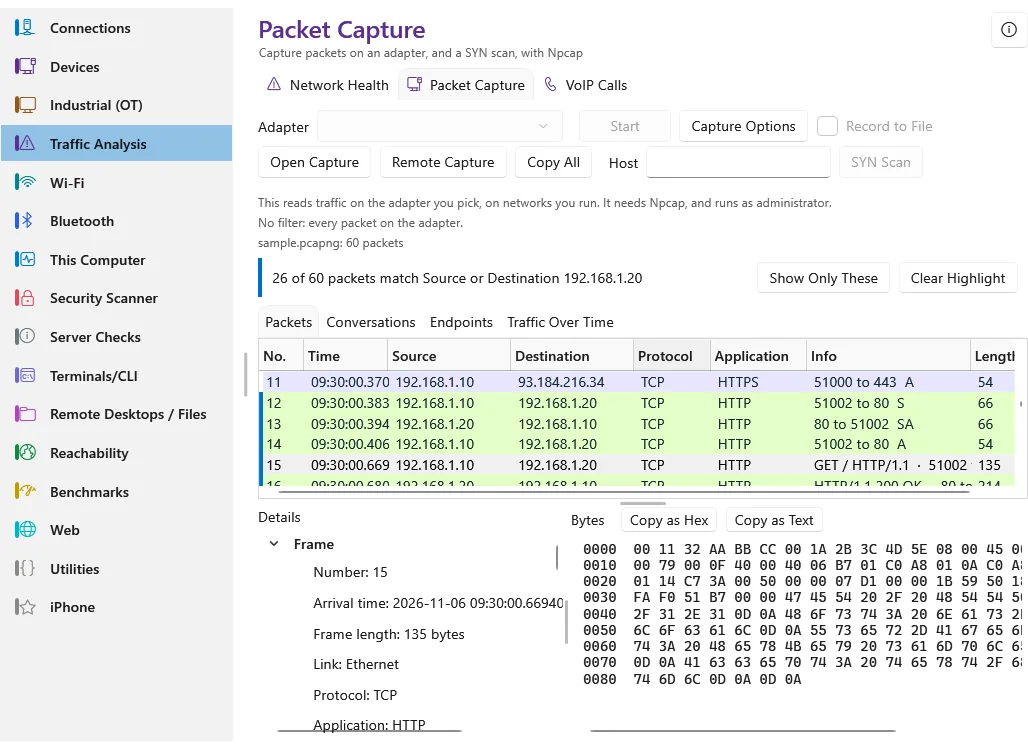
  • Packet CaptureCapture packets on an adapter, and a SYN scan, with Npcap
  • VoIP CallsSIP calls and their RTP quality in a capture
Packet Capture: Wireshark’s colours, an Application column, a highlight

Wi-Fi

The networks in the air and their coverage

  • Wi-Fi ScannerNetworks around you, their signal and channels
  • Channel PlannerThe quietest channel for an access point, at every width
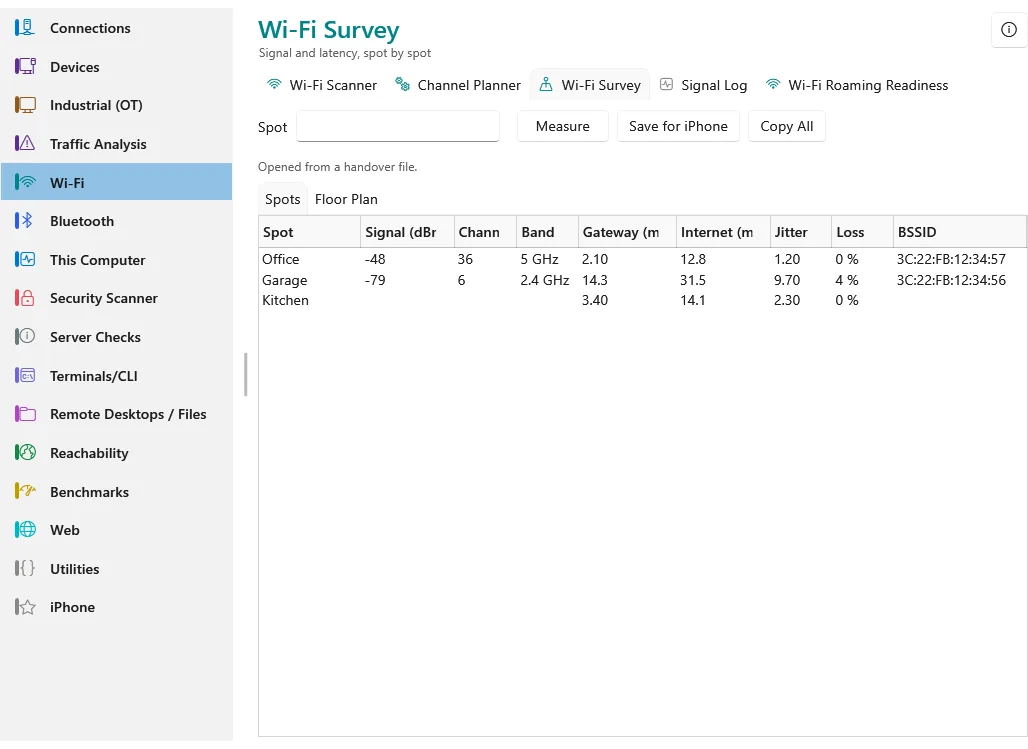
  • Wi-Fi SurveySignal and latency, spot by spot
  • Signal LogRecord the joined Wi-Fi network's signal over time, to catch a drop or a roam between access points
  • Wi-Fi Roaming ReadinessWhether the access points agree on 802.11k, v and r
Wi-Fi Survey: each spot’s signal, gateway time, loss and access point

Bluetooth

The devices advertising in Bluetooth range

  • Bluetooth ScannerEvery Bluetooth LE device advertising nearby
  • Bluetooth DevicesClassic and paired devices, and pairing
  • Bluetooth RadioThe laptop's own adapter and its state
  • BeaconBe an iBeacon the phone can range

This Computer

Routes, proxy, firewall and network history

  • Routing TableThe routes this computer uses, and the one it picks for a host
  • Proxy and PACThe proxy, the PAC script, and what it answers for a URL
  • Firewall RulesThe firewall's rules, and whether a port is allowed in
  • Network Change LogWhat Windows logged about the network over time
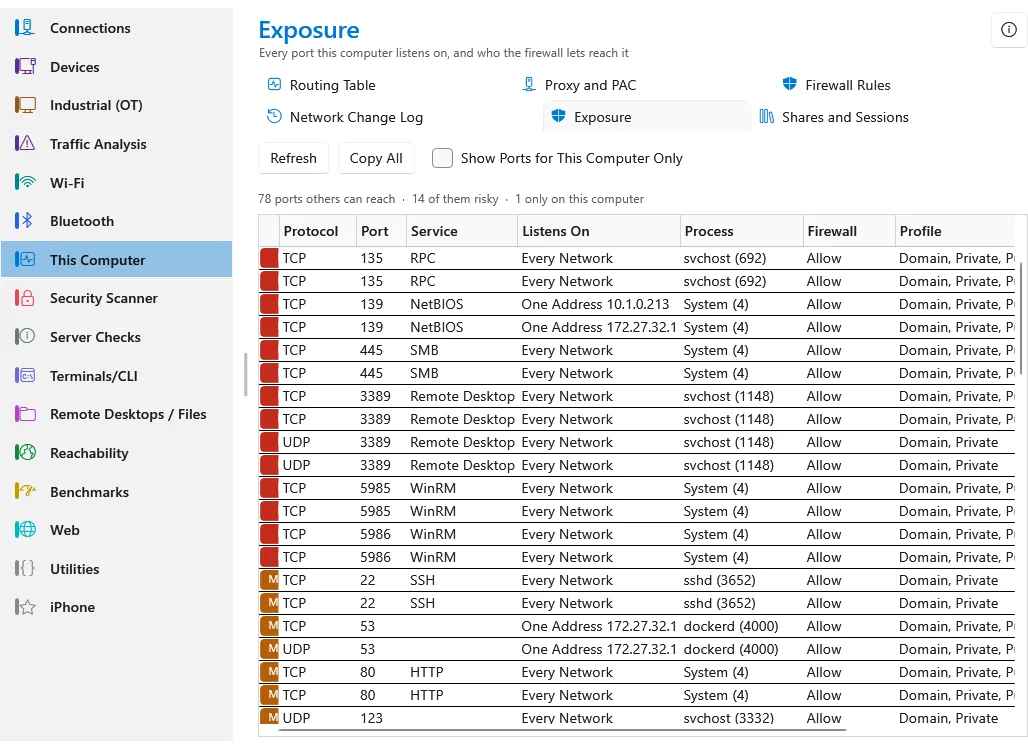
  • ExposureEvery port this computer listens on, and who the firewall lets reach it
  • Shares and SessionsThis computer's shared folders, who is connected, and the files they hold open
Exposure: every listening port, its process, its reach and the firewall’s verdict

Virtualisation

The virtual machines a host runs, read only

  • Virtual MachinesList the virtual machines on a vCenter or a Hyper-V host, read only

Security Scanner

Open ports, signing in, default logins

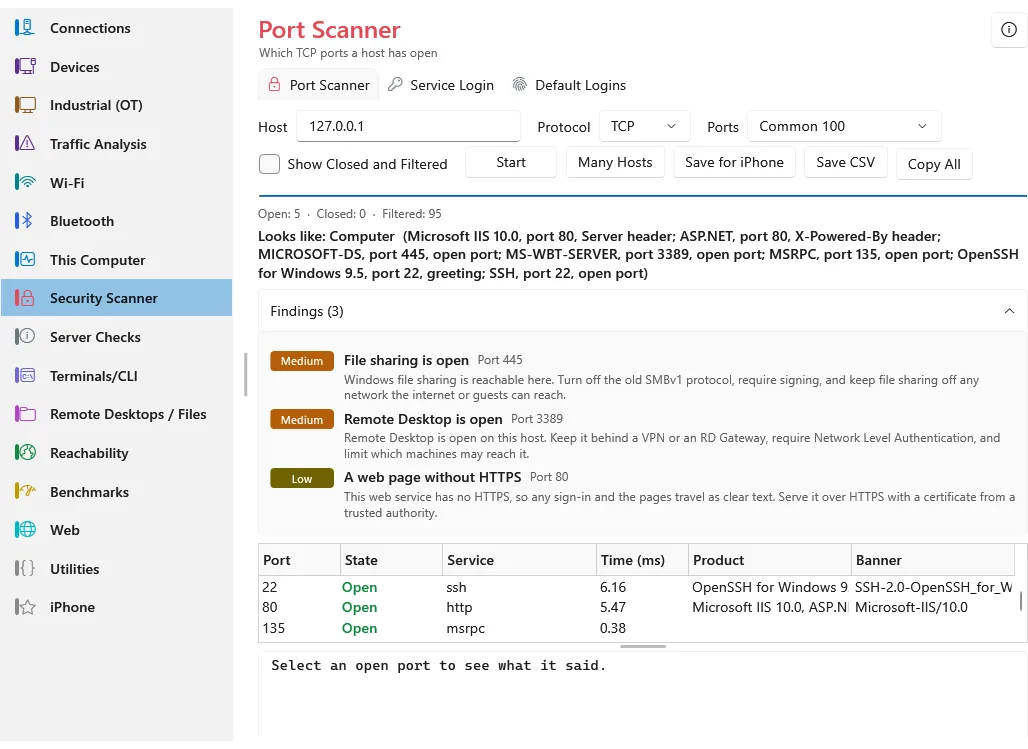
  • Port ScannerWhich TCP ports a host has open
  • Service LoginSign in to SQL, SSH, FTP, web and more, and look round
  • Default LoginsCheck whether a device still accepts a factory default sign-in
Port Scanner: what each service says, and the risks worst first

Server Checks

File sharing, time and the domain

  • Domain CheckWhether a host is a domain controller and what it serves
  • AD DNS HealthFinds the domain controllers in DNS and checks each one
  • SMB CheckHow a file server's SMB is set up, before signing in
  • NTP CheckA time server's stratum, source and offset
  • SSH Server AuditThe key exchanges, host keys and ciphers an SSH server offers
  • RDP Security CheckWhether Remote Desktop requires NLA and which TLS it takes

Terminals/CLI

Consoles on servers, switches and lab gear

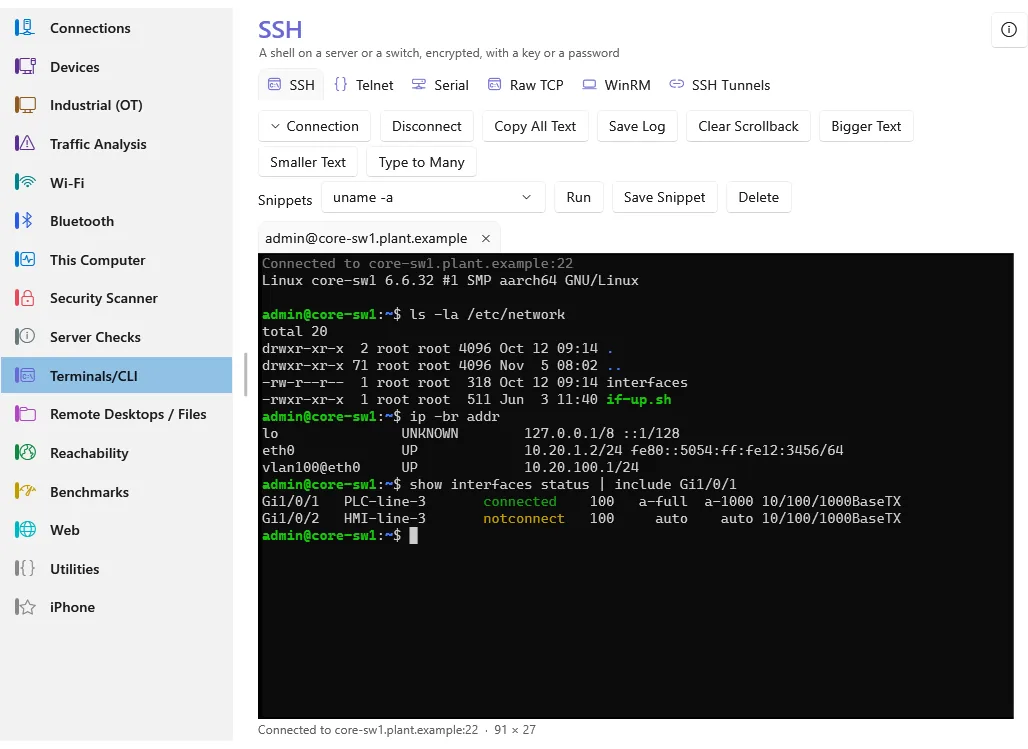
  • SSHA shell on a server or a switch, encrypted, with a key or a password
  • TelnetThe old clear text console, for switches, serial servers and lab gear
  • SerialA console port over a USB serial adapter: a switch, a router, a device's debugging header
  • Raw TCPA plain TCP port, the bytes as they are, with or without TLS
  • WinRMA PowerShell session on a Windows server, over WinRM
  • SSH TunnelsPorts forwarded through an SSH server: local, remote and a SOCKS proxy
HexKey’s own terminal: SSH with remembered host keys and saved sessions

Remote Desktops / Files

Files, remote desktops and file transfer

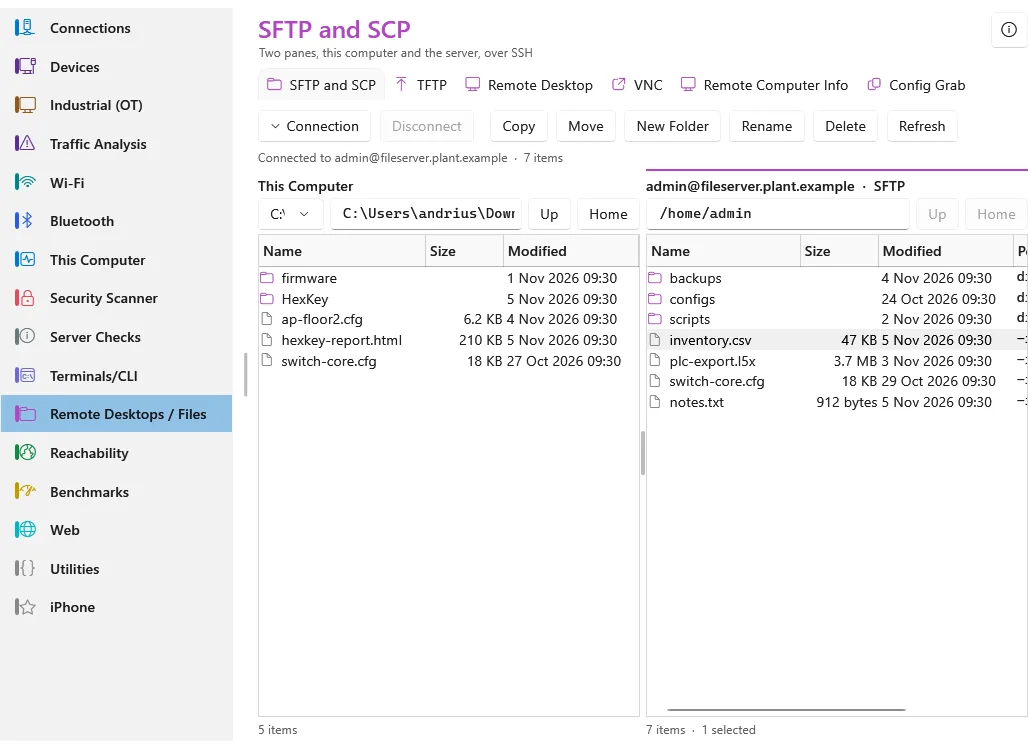
  • SFTP and SCPTwo panes, this computer and the server, over SSH
  • TFTPFetch and serve firmware and configs the simple way
  • Remote DesktopA Windows desktop, opened in Windows's own client
  • VNCSee and drive a desktop over VNC
  • Remote Computer InfoA Windows computer's system, updates, disks and services, read over WinRM
  • Config GrabA device's configuration read over SSH, kept, and compared with the copy before
SFTP and SCP in two panes, as a commander

Reachability

Is it there, is it still there, which way, and by what name

  • Check my InternetOne button, a full check of your internet connection
  • MonitorWatch hosts, ports, web pages and names at once, live
  • TracerouteEvery router on the way to a host
  • PingIs it there, and how fast does it answer
  • DNS LookupAny record, from any DNS server
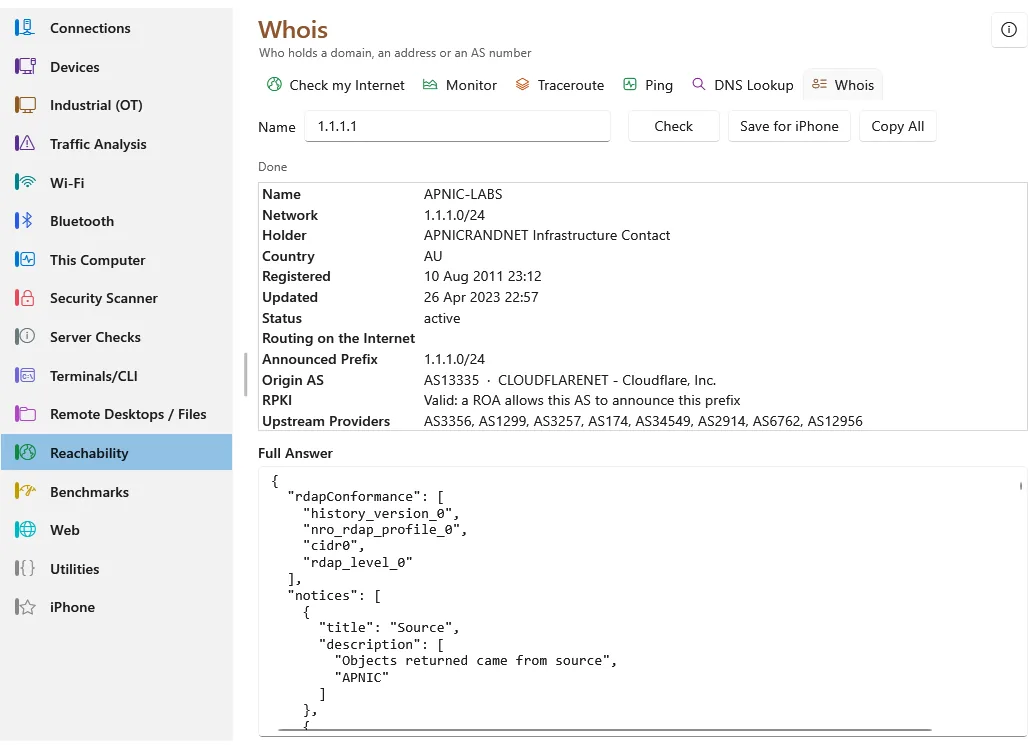
  • WhoisWho holds a domain, an address or an AS number
Whois over RDAP, with the route on the internet and its RPKI state

Benchmarks

How fast the line, the network and the DNS servers are

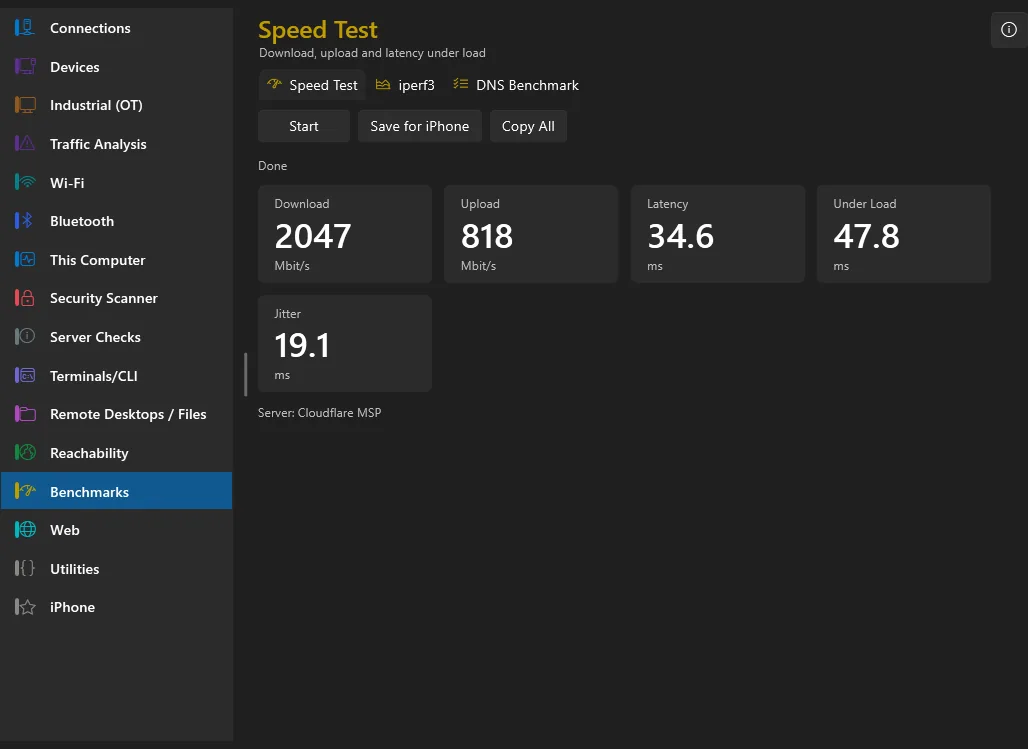
  • Speed TestDownload, upload and latency under load
  • iperf3Throughput to or from an iperf3 server, TCP or UDP
  • DNS BenchmarkTimes the DNS servers against each other on many names
Speed Test: down, up, latency and the latency under load

Web

Websites, certificates and mail

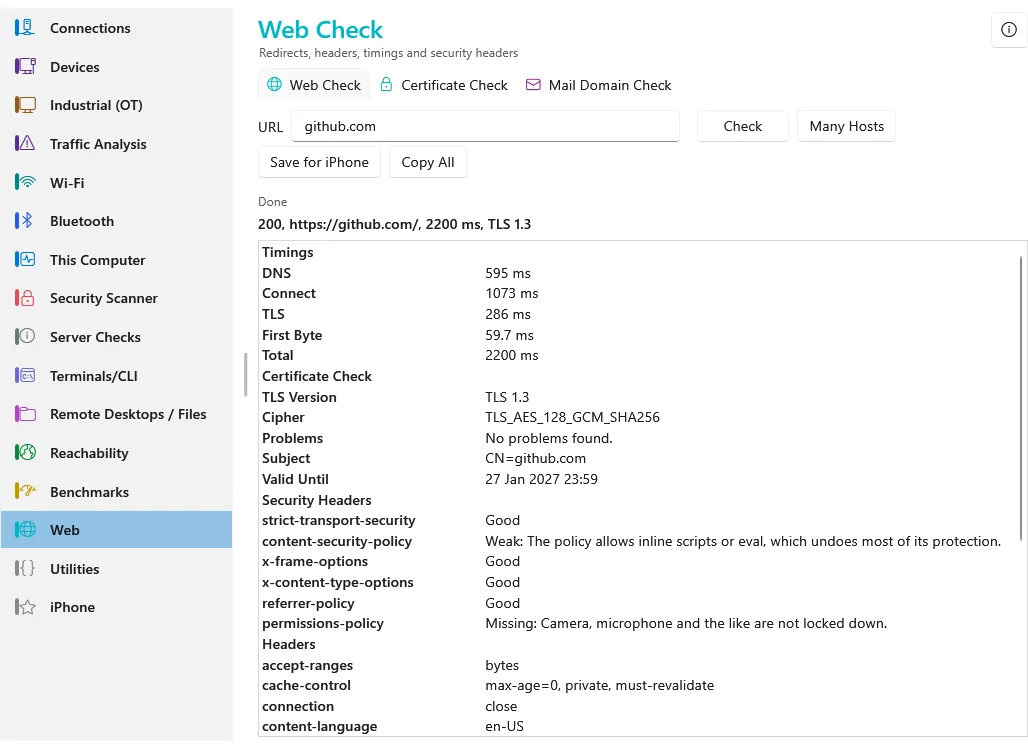
  • Web CheckRedirects, headers, timings and security headers
  • Certificate CheckTLS version, chain, expiry and weak spots
  • Mail Domain CheckWhether a domain's mail is set up so that nobody can send as it or read it on the way: MX, SPF, DKIM, DMARC, MTA-STS
Web Check: redirects, timings, TLS and the security headers graded

Utilities

Encoding, JWTs, hashes, Unix time, passwords and chmod, all on this computer

  • Encode and DecodeBase64, hex, URL and HTML encoding, both ways
  • JWT ReaderA token's header and claims read out, the times in words
  • HashesMD5 to SHA-512 of a text or a file, and a check against the one published
  • Unix TimeUnix time to a date and back, in UTC and here
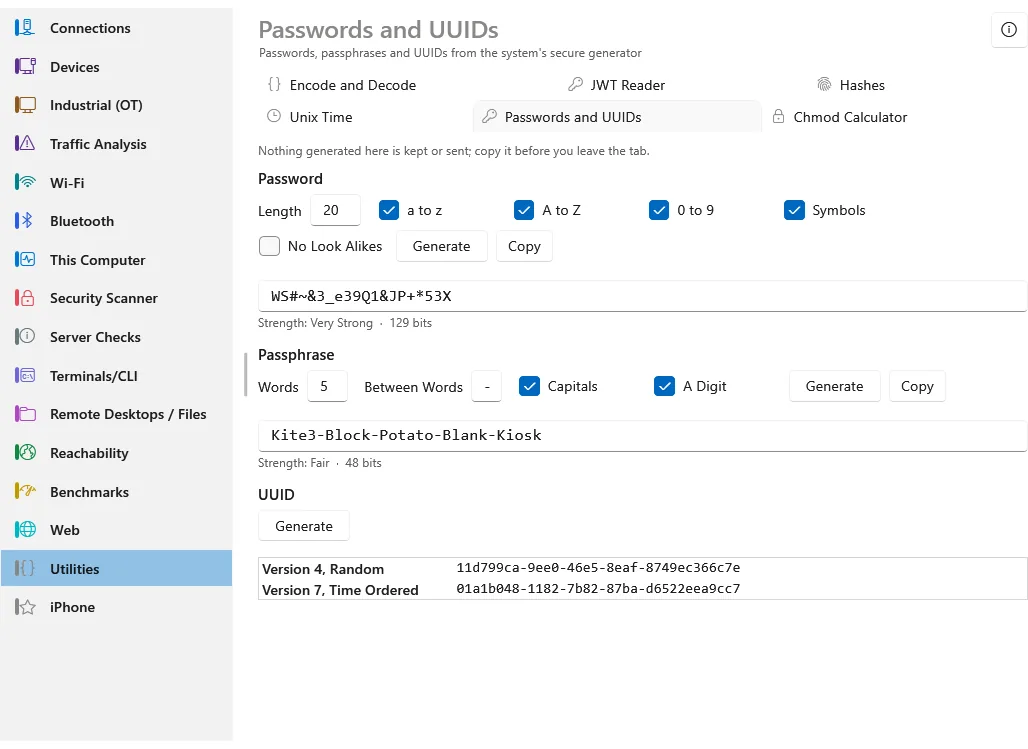
  • Passwords and UUIDsPasswords, passphrases and UUIDs from the system's secure generator
  • Chmod CalculatorUnix permissions between numbers, letters and words
Passwords, passphrases and UUIDs, all made on this computer

iPhone

The live link and the handover file

  • Saved DevicesFavourites and recent devices, synced with the iPhone
  • iPhone LinkHand results to and from the iPhone over Wi-Fi, no file
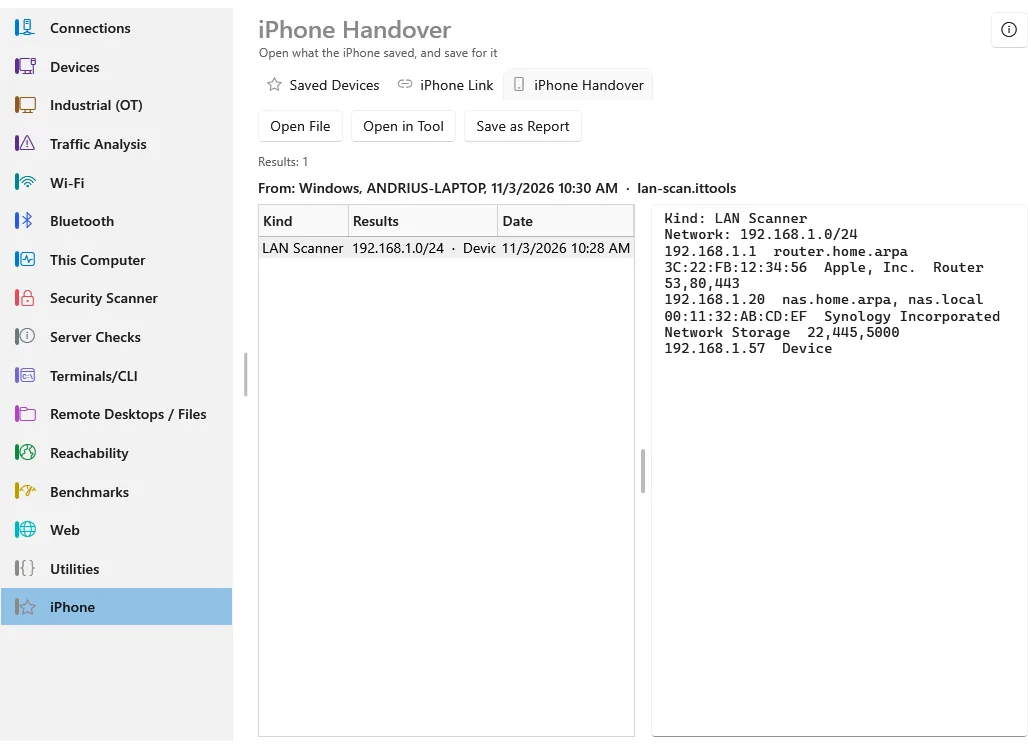
  • iPhone HandoverOpen what the iPhone saved, and save for it
A LAN scan from the phone, opened on the laptop

iPhone

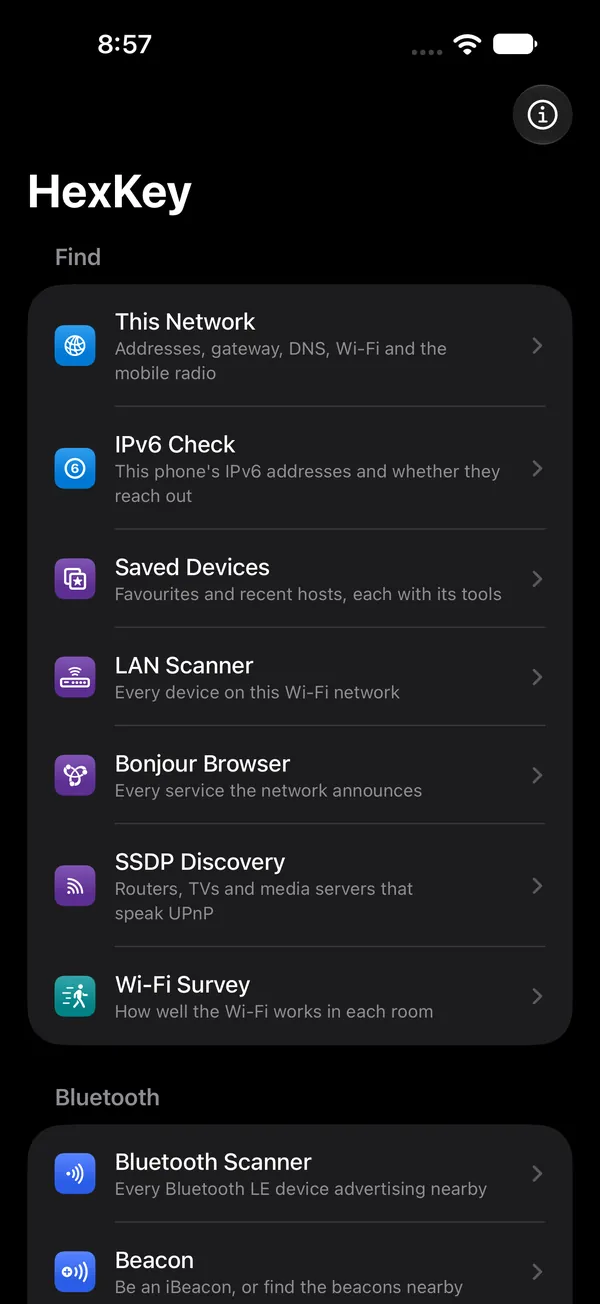
The same tools where iOS allows them, grouped on the first screen, with the same words and the same “i” articles.

The first screen
The first screen
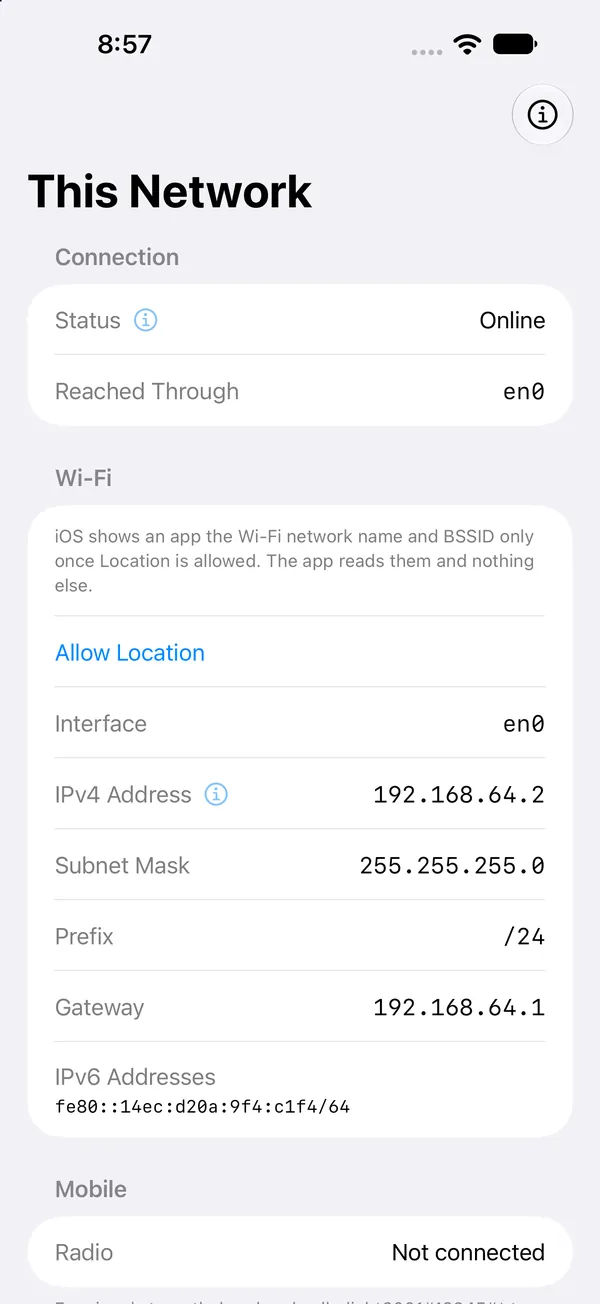
This Network
This Network
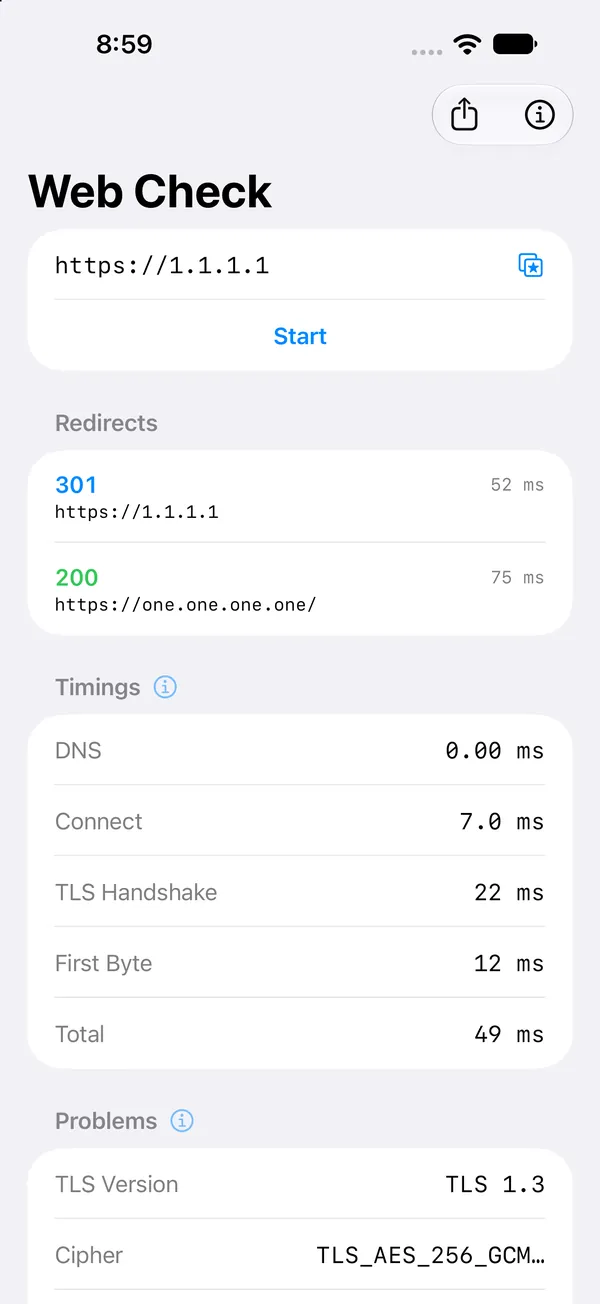
Web Check
Web Check
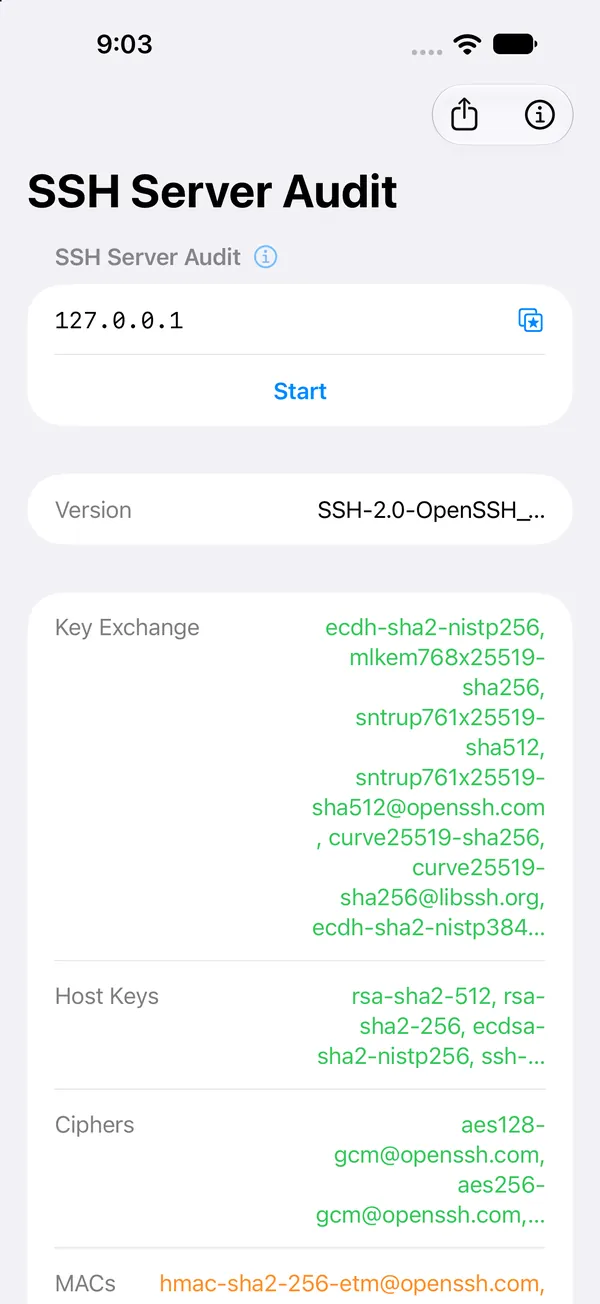
SSH Server Audit
SSH Server Audit
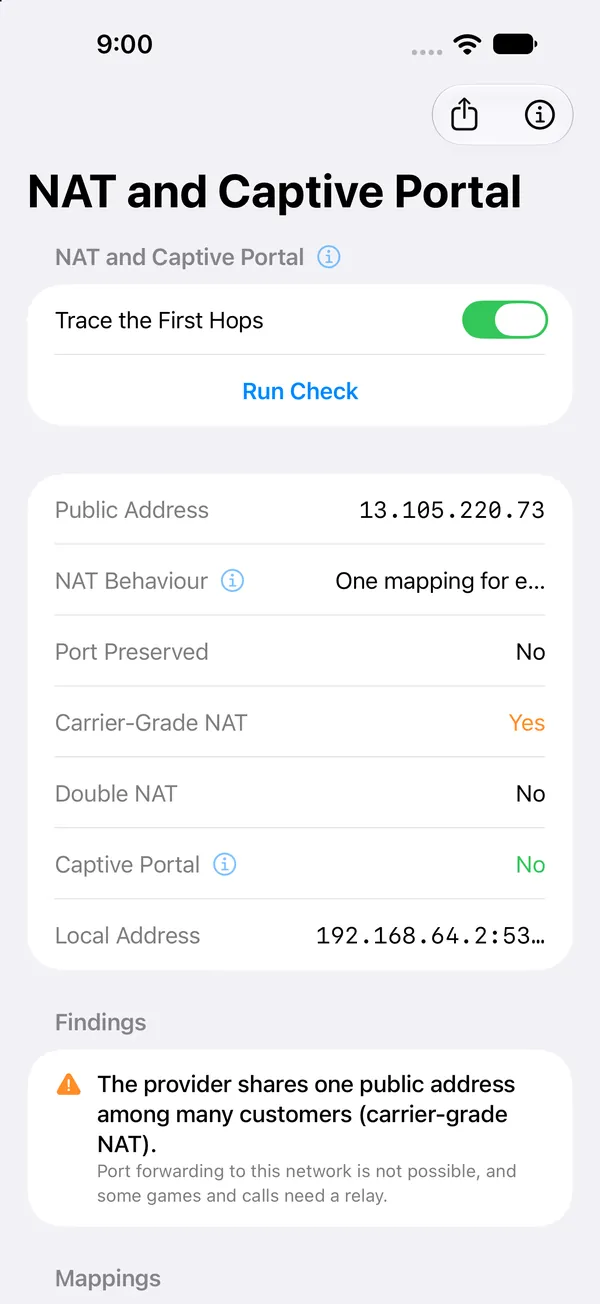
NAT and Captive Portal
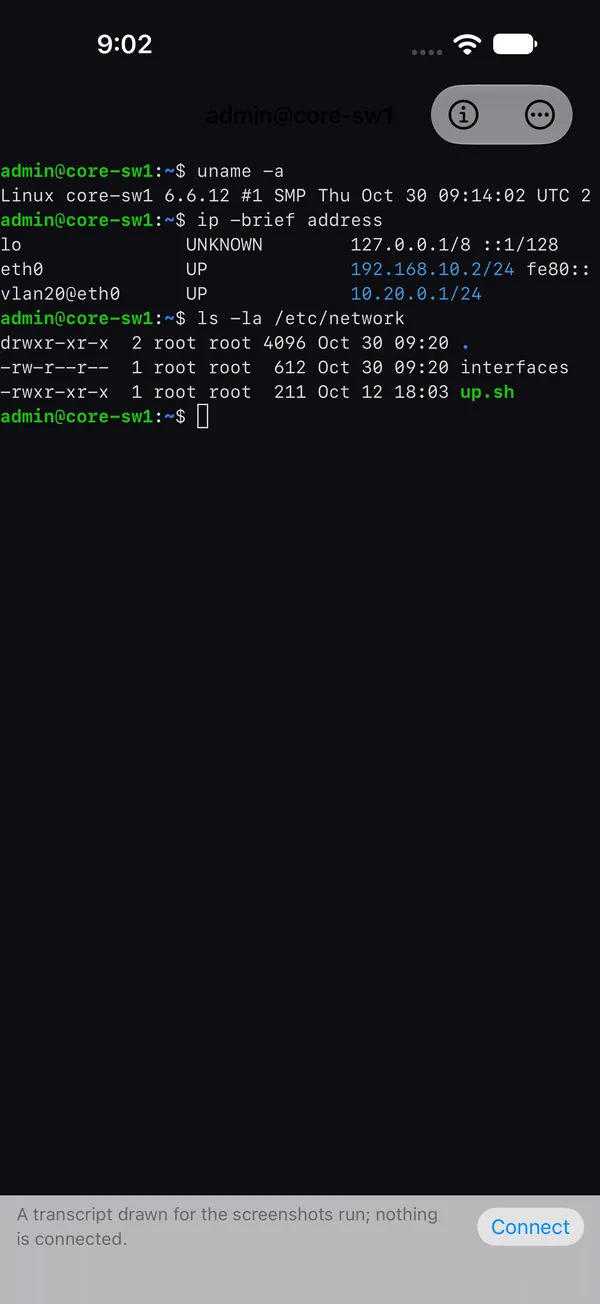
SSH console
SSH console

Find

  • This NetworkAddresses, gateway, DNS, Wi-Fi and the mobile radio
  • IPv6 CheckThis phone's IPv6 addresses and whether they reach out
  • Saved DevicesFavourites and recent hosts, each with its tools
  • LAN ScannerEvery device on this Wi-Fi network
  • Bonjour BrowserEvery service the network announces
  • SSDP DiscoveryRouters, TVs and media servers that speak UPnP
  • Wi-Fi SurveyHow well the Wi-Fi works in each room
  • Cameras (ONVIF)Find IP cameras and recorders on the local network, read only
  • BACnet ScanFind BACnet building controllers and read a device nameplate, read only

Bluetooth

  • Bluetooth ScannerEvery Bluetooth LE device advertising nearby
  • BeaconBe an iBeacon, or find the beacons nearby
  • Connected DevicesWhat the phone is using over Bluetooth now

Test

  • Check my InternetWhether this phone can reach the internet, and how well
  • PingIs it there, and how fast does it answer
  • Connection MonitorSeveral hosts pinged side by side, for as long as you like
  • TracerouteEvery router on the way to a host
  • NAT and Captive PortalWhat the internet sees of you, and whether a sign-in page is in the way
  • VPN CheckIs a tunnel up, and does your DNS leak past it?
  • Port ScannerWhich TCP ports a host has open
  • Web CheckRedirects, headers, timings, TLS and certificates
  • Certificate CheckThe TLS certificate of any service, STARTTLS too
  • HTTP RequestAny method, headers and body, and the whole answer
  • Service LoginSign in to a service and look round
  • SMB CheckHow a file server's SMB service is set up
  • RADIUS CheckWhether a RADIUS server accepts a sign-in
  • SSH Server AuditWhat an SSH server offers, read before signing in
  • RDP Security CheckHow Remote Desktop protects the sign-in
  • Many HostsRun Ping, the Port Scanner, Web Check or Certificate Check on a whole list at once

Benchmarks

  • Speed TestDownload, upload, latency and jitter
  • LAN ThroughputHow fast the Wi-Fi really moves data, phone to laptop
  • iperf3Throughput to an iperf3 server
  • DNS BenchmarkTime your DNS server against public ones

Remote Access

  • SSHA shell on a server or a switch, encrypted, with a password
  • TelnetThe old clear text console, for switches and lab gear

Look Up

  • DNS LookupAny record, from any DNS server
  • Zone HealthAsk every DNS server of a domain whether it agrees, and whether it leaks the zone
  • Secure DNSDNS over HTTPS and TLS, compared with plain DNS
  • WhoisWho holds a domain or an address
  • Mail Domain CheckMX, SPF, DKIM, DMARC, MTA-STS and TLS for a domain
  • NTP CheckA time server's stratum, source and offset
  • Domain CheckWhether a host is a domain controller and what it serves
  • AD DNS HealthFind a domain's controllers through DNS and check each
  • SNMP BrowserA switch or router’s interfaces, ARP, routes and MAC table
  • Printer and UPSA printer's supplies or a UPS's battery, over SNMP
  • Printer Over IPPAsk a printer over IPP for its make, model, state and supplies, read only
  • OT Device IdentifyA controller's nameplate over Modbus, S7, EtherNet/IP and more
  • Virtual MachinesList the virtual machines on a vCenter host, read only
  • Certificate DecoderRead a pasted certificate, chain or signing request and check it, read only
  • Mobile BandsTurn a channel number into a frequency and band

Plan

  • Subnet CalculatorNetworks, masks and ranges, IPv4 and IPv6
  • Subnet PlannerCut a network into subnets sized to fit (VLSM)

Act

  • Wake on LANWake a sleeping computer from the phone
  • Link With LaptopSend results to the Windows app and back, live
  • Capture ViewerOpen a .pcap or .pcapng capture and read its packets
  • Read a LabelRead text from a device's label with the camera
  • Settings BackupCarry this phone's sessions, host keys, saved devices and kept scans to another, read only
  • UtilitiesThe small things an admin looks up ten times a day